Everything FigLeaf can do
A complete kitchen companion — from saving a recipe to checking off the last grocery item, all native to iPhone, iPad, and Mac.
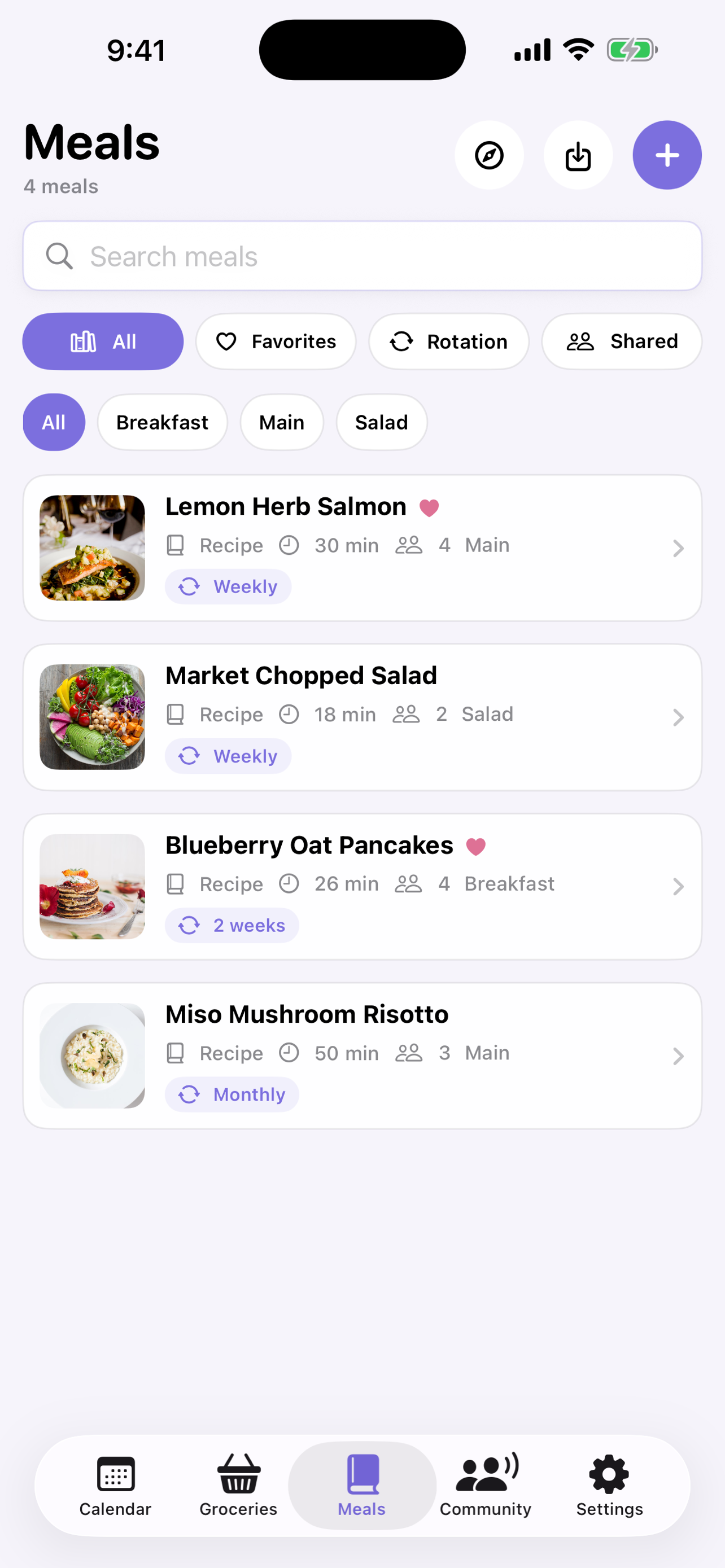
Every recipe, organized your way
Keep your whole collection in one searchable library. Browse by category, add your own tags, and find anything in seconds.
- Full-text search across titles, ingredients, notes & tags
- Mark Favorites and put dinners in rotation — weekly, biweekly, monthly, or occasional
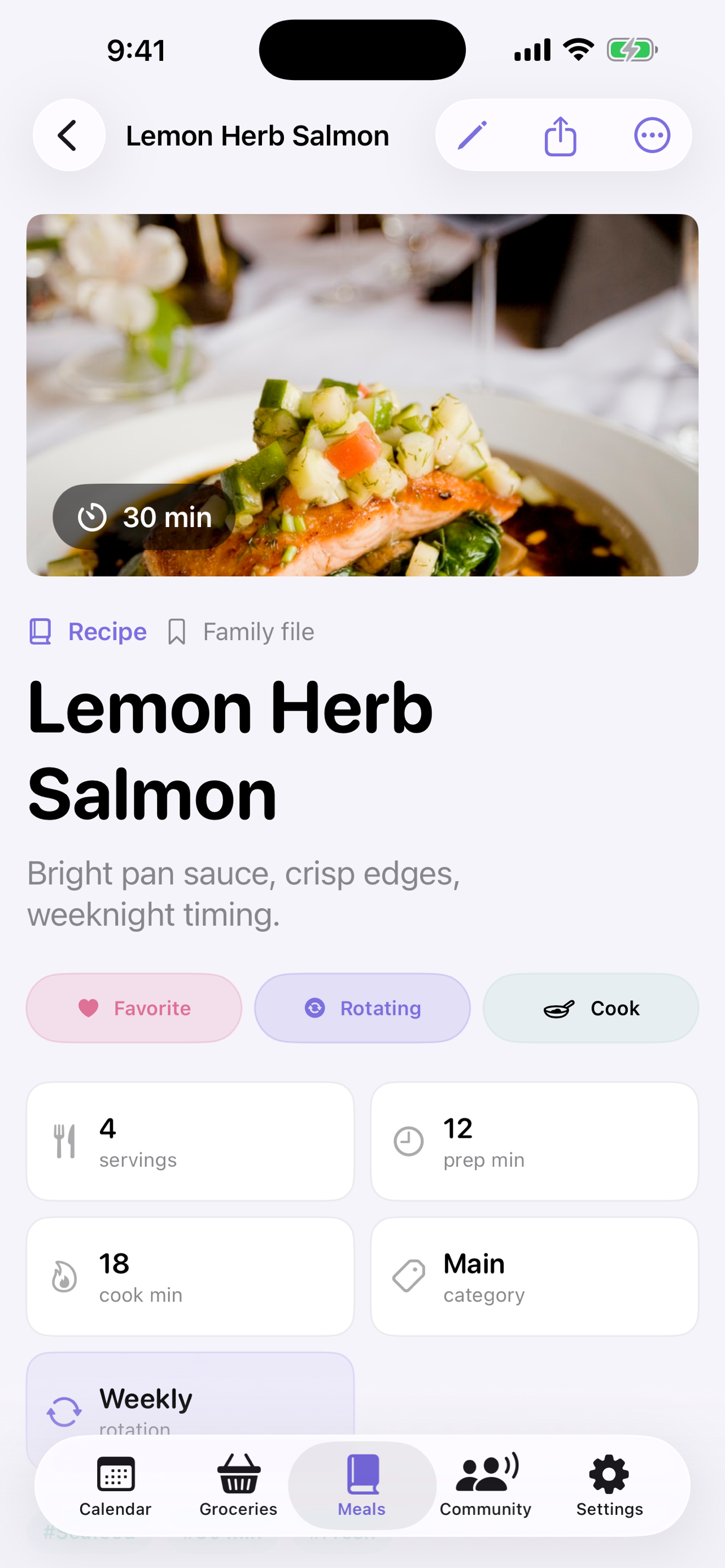
- Hero photo, servings, prep & cook time, source link, and notes
- Simple Meals for the nights you just need a grocery list
Bring your recipes with you
Save recipes from the web with the built-in browser, or migrate your whole collection from Paprika — photos and all.
- One-tap import from popular recipe sites with ad-blocking built in
- Import Paprika backups (.paprikarecipes) including embedded photos
- Automatic de-duplication so you never get the same recipe twice
- Add a photo to any cooking step as you go
A calm, focused way to cook
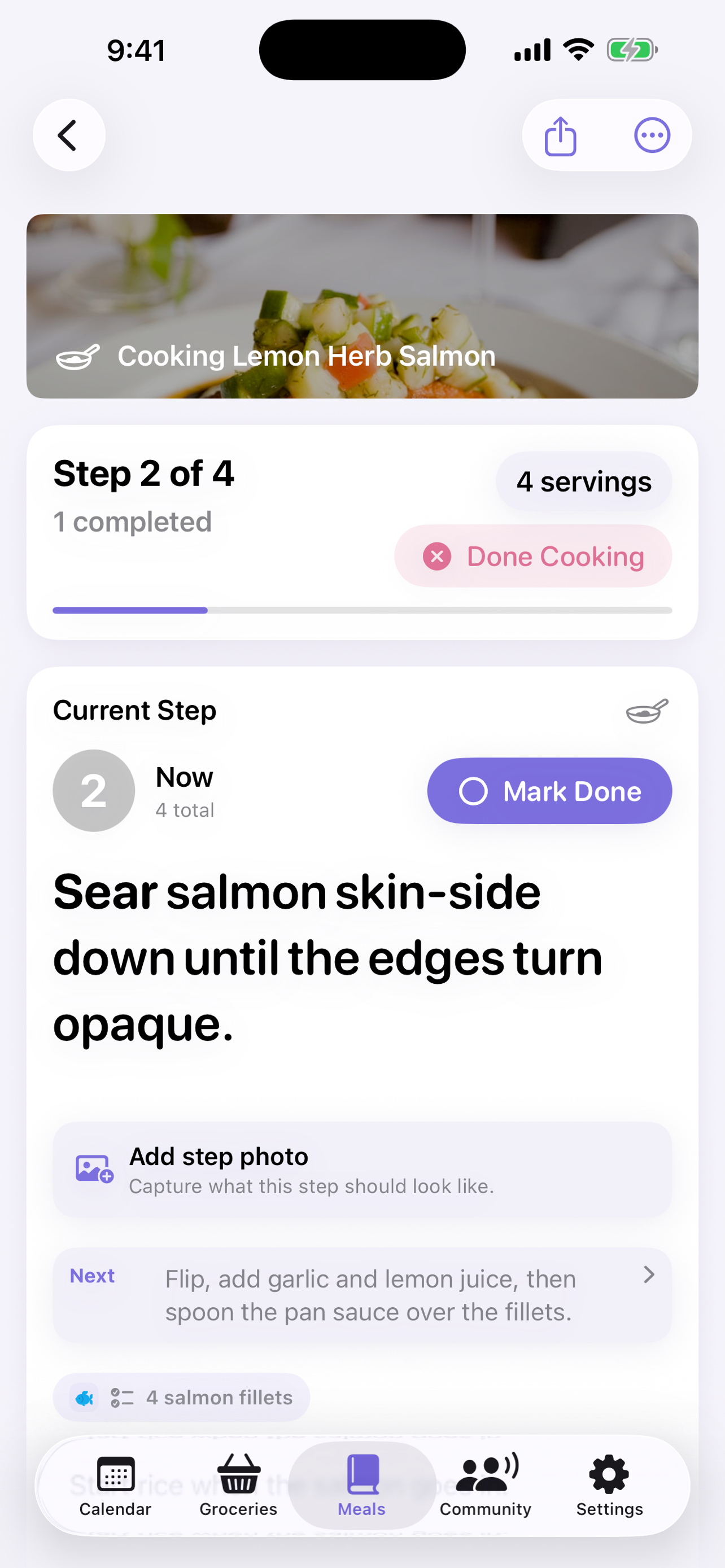
Cook Mode turns any recipe into a clean, full-screen guide. Prep first, then move through each step at your own pace — your screen stays awake the whole time.
- Mise en place checklist to prep everything first
- Big, readable steps with per-step photos and notes
- Smart timers detected from your steps — start them with one tap
- Timers continue on the Lock Screen and Dynamic Island via Live Activities
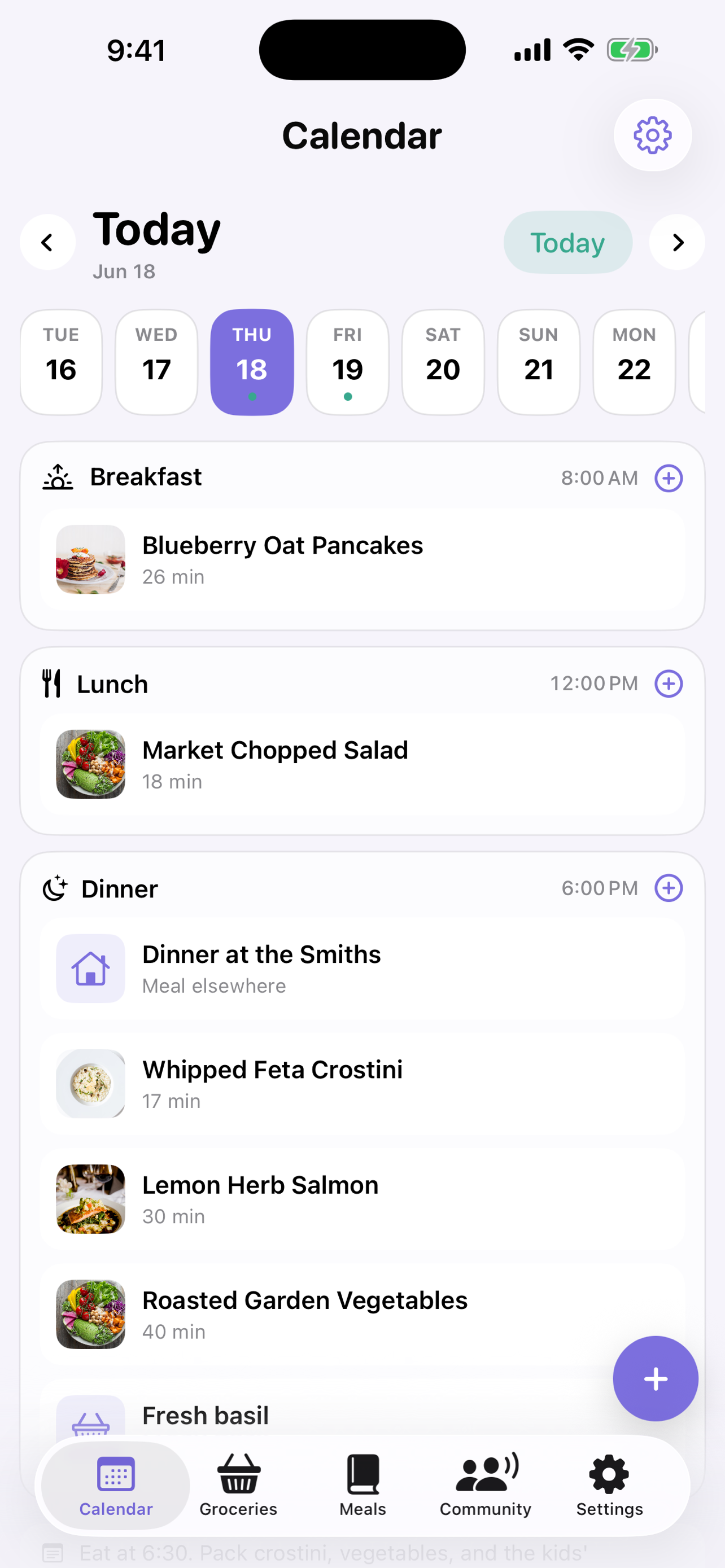
Plan the week in minutes
Map out breakfast, lunch, and dinner for any day. Mix saved recipes with quick notes like 'leftovers' or 'dinner at the Smiths' — then sync it all to your Calendar.
- Recurring weekly template plus specific dated meals
- Breakfast, lunch & dinner slots with multiple dishes each
- Sync your plan to the Calendar app with EventKit
- Adjust servings per meal and bulk-move days around
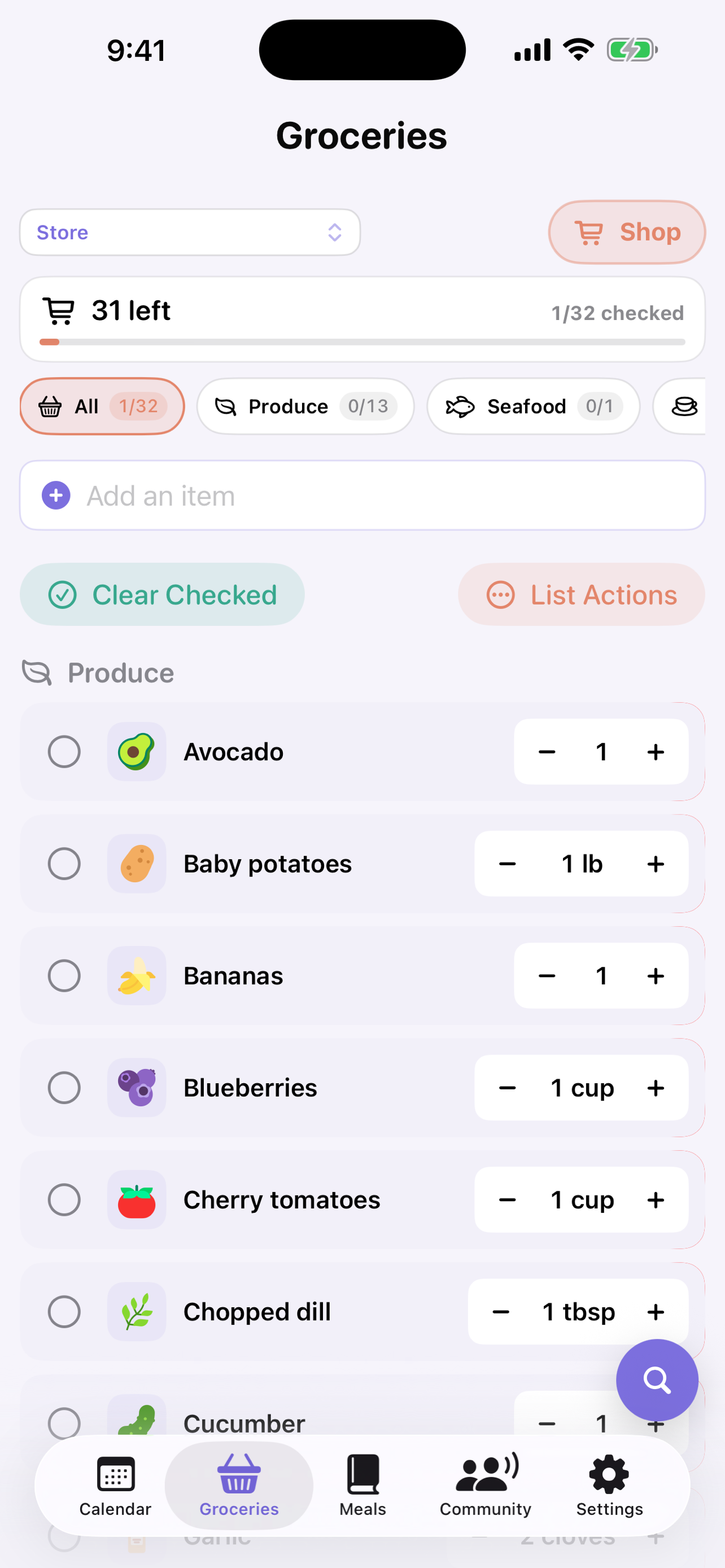
Shop in one smooth loop
Your grocery list builds itself from your meal plan, then sorts every item by your store's aisles — so you never double back across the shop.
- Auto-generated from your planned recipes, with quantity controls
- Sorted into real store sections: Produce, Dairy, Bakery, and more
- Save multiple store layouts — even switch automatically by location
- Export the whole list to the Reminders app
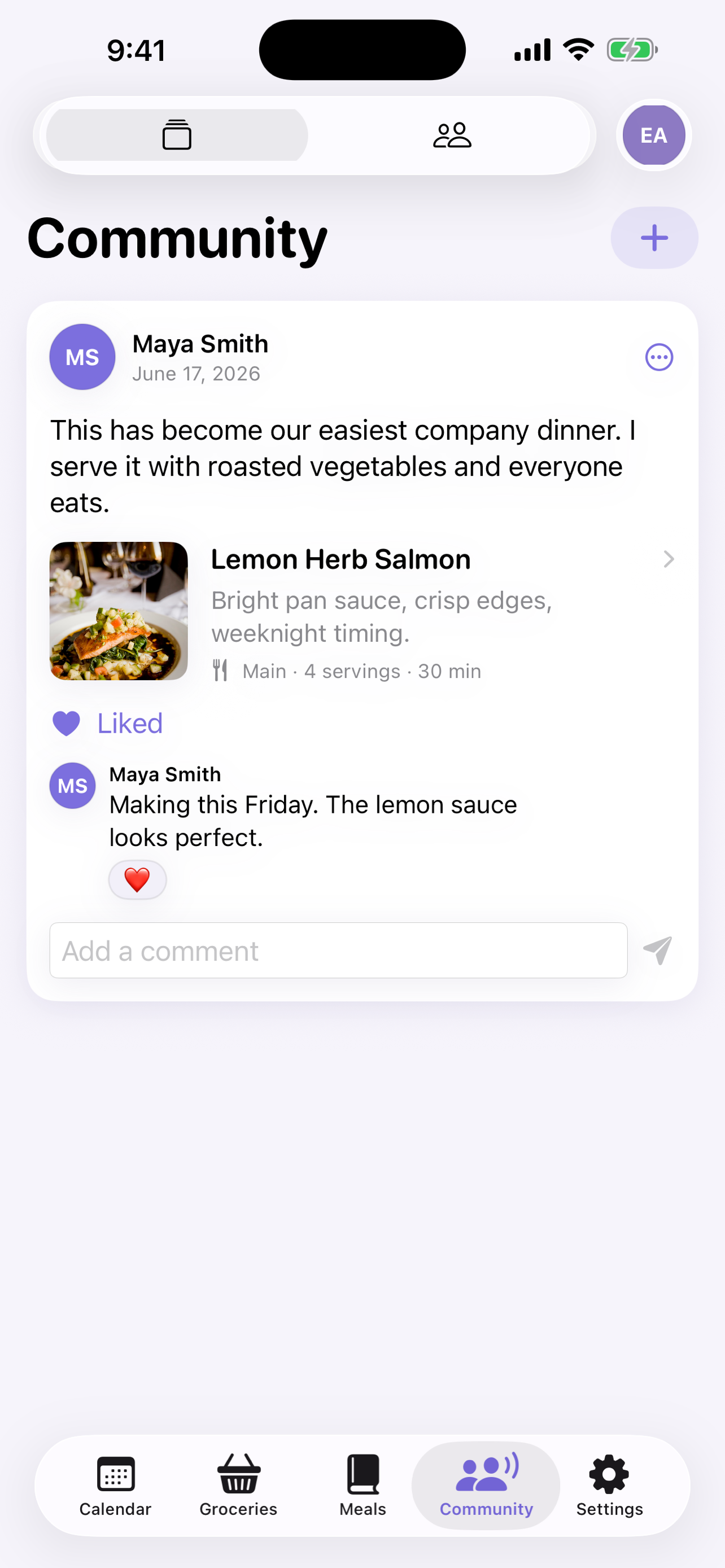
Cook better, together
Add friends, share the recipes you love, and trade ideas in a warm, ad-free feed. Save anything that catches your eye straight to your own library.
- Add friends by email and share recipes privately or with everyone
- Comment, react, and attach recipes right in the conversation
- Save shared recipes to your meals with one tap
- Sign in with Apple — your real email stays private
At home on every Apple platform
FigLeaf is built with SwiftUI and uses the technologies you already rely on — no accounts to juggle, no data to hand over.
Siri & Shortcuts
Over 20 built-in actions let you plan, cook, and shop hands-free or automate your whole routine.
- “Plan my week”
- “What's planned today?”
- “Start cooking Lemon Herb Salmon”
- “Start a cooking timer”
- “Add milk to my groceries”
- “Show my rotation meals”
iCloud sync
Recipes, plans, and groceries stay in sync across your iPhone, iPad, and Mac — privately, in your own iCloud.
Calendar, Reminders & Live Activities
Your meal plan flows into Calendar, groceries into Reminders, and cooking timers into the Dynamic Island.
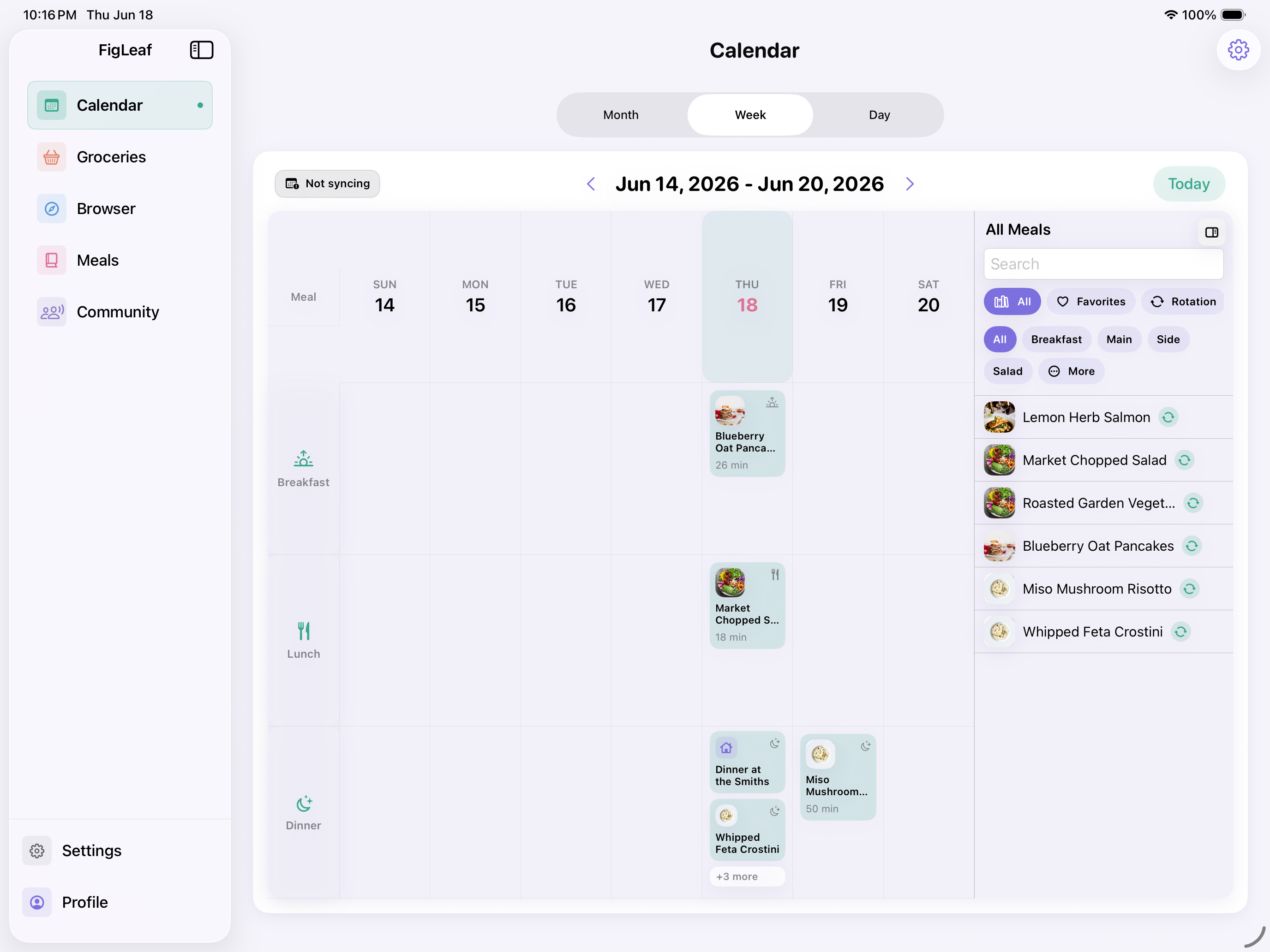
Room to plan it all
On iPad, FigLeaf opens up into a spacious month, week, and day planner — perfect for mapping out meals on the couch.
- Month, week & day calendar views
- Side-by-side browsing and planning
- Full keyboard and trackpad support
The whole kitchen on your desktop
The Mac app brings everything to the big screen, with a menu-bar timer so you can keep cooking while you work. It even updates itself automatically.
- Native macOS app with multi-window support
- Menu-bar countdown for your active cooking timer
- Automatic updates

Ready to try it?
FigLeaf is free to download. Everything you just saw is included.